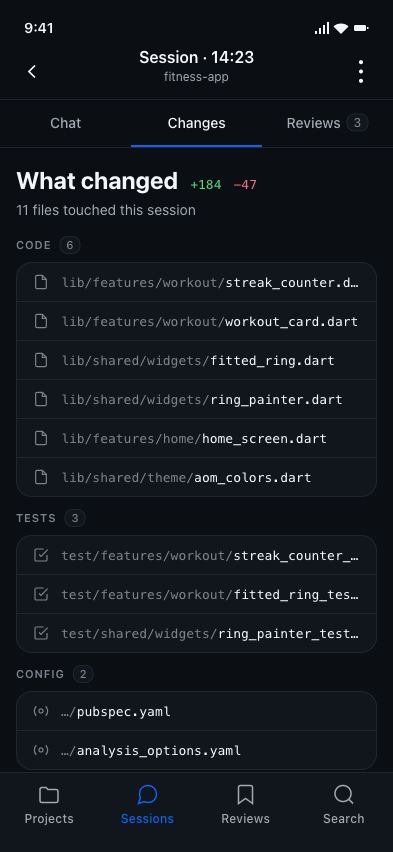
What changed?
Git answers this.
The diff is mechanical and retrievable. Solved problem.
Lessons from your AI coding sessions, in your pocket
Re-read your AI coding sessions on your phone — on the train, in a coffee break, on the couch on Sunday. AgentsOfMine syncs the conversations your agents already write to your machine, then puts them in your pocket.
On a quiet bubble, you write down the lesson.
npx agentsofmine pair — one command, once We never log into your AI accounts. Encrypted in transit and at rest. Open-source on GitHub.
Supported agents in v1
On your phone. On the train. While the laptop sleeps.
The third question
What changed?
The diff is mechanical and retrievable. Solved problem.
What was said?
The transcript is on your disk. Two thousand lines, almost never re-opened.
What did I learn?
No tool. No IDE surface. No integration. The lesson scrolls past in 90 seconds and you absorb maybe ten percent of it. AgentsOfMine fills that gap.
Step 1 — one-time
It prints a URL and a QR code to your terminal. Open the URL on your phone, sign in once with GitHub, Google or email, and tap Approve. Your machine is paired — under a minute, end to end. We never log into your AI provider accounts; the collector only reads what your agents have already written to your disk.
VS Code user? Install the extension from the Marketplace — it installs and runs the collector automatically. No terminal required.
$ npx agentsofmine pair

  AgentsOfMine — Device Pairing
  ──────────────────────────────
  Open this URL on your phone:

  https://agentsofmine.io/pair?code=AG7X-KJ2P

  ▄▄▄▄▄▄▄▄  ◄ or scan the QR
  █ ▄▄▄ █
  █ ███ █
  ▀▀▀▀▀▀▀▀

  Waiting for approval...  ⠸
✓ Paired. Token stored in keychain.Step 2 — automatic
OpenCode, Claude Code and Codex persist every conversation locally. The history is already there.
Step 3 — automatic
The collector — a small background process — watches the session files your agents already wrote. It normalizes them and syncs an encrypted copy to your private workspace. No Anthropic credentials. No OpenAI keys. No GitHub Copilot tokens. The code that does the reading is open-source.
Step 4 — you
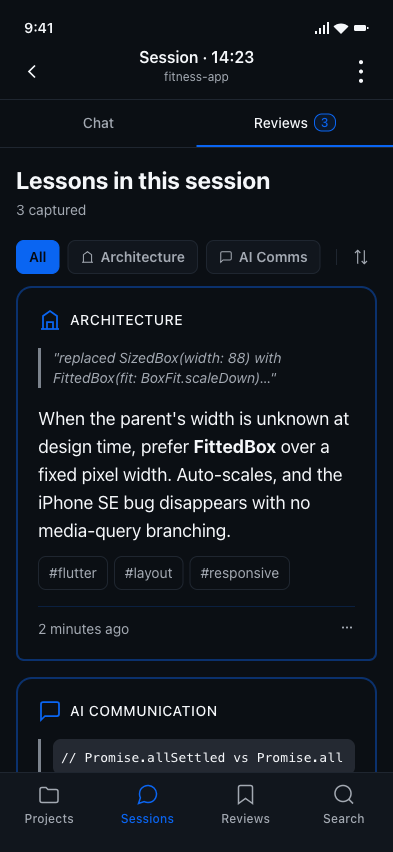
Open AgentsOfMine.io on your phone — no app to install. Scroll back through your sessions. Mostly you just read what happened; sometimes you tap a bubble and capture the lesson in forty words. It stays attached to that exact moment, in that exact session, forever.
The product
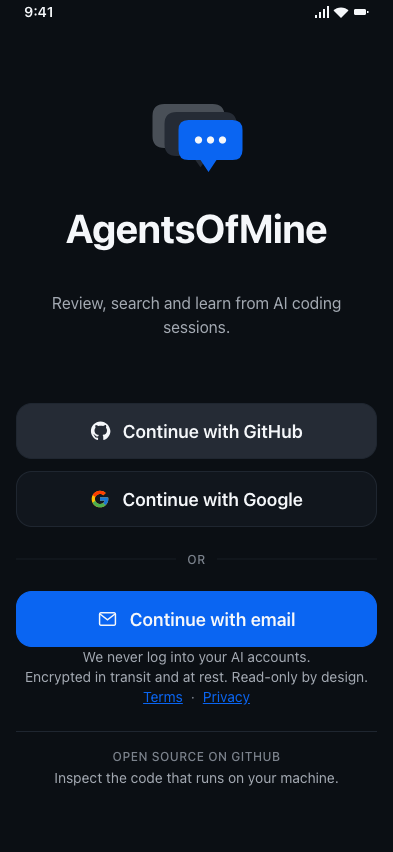
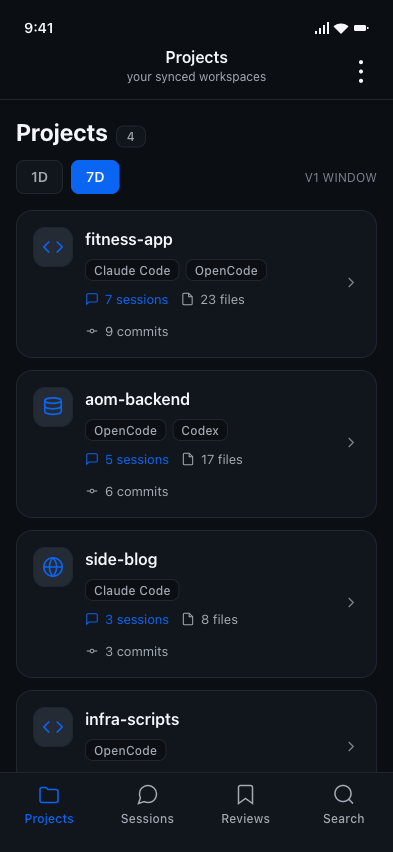
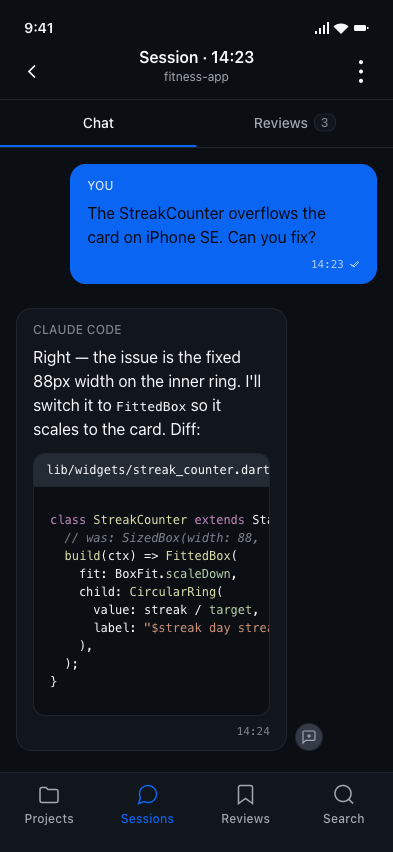
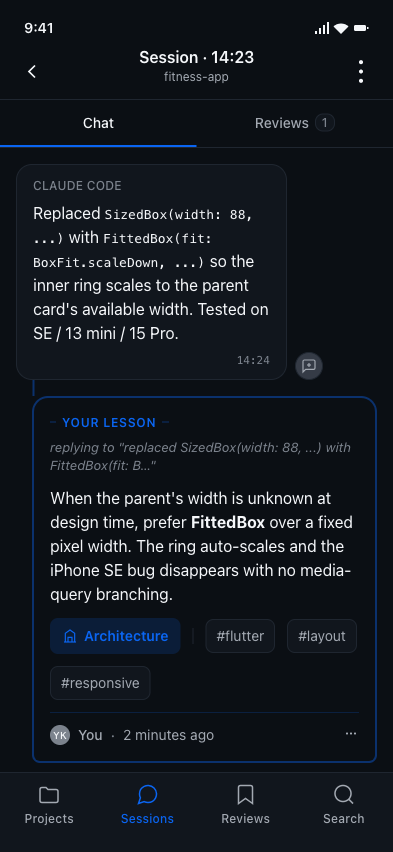
Six screens from the v1 build. No mockups beyond what we are building.
No Claude credentials. No OpenAI keys. No GitHub Copilot tokens. We read what your agent has already written to your disk.
TLS 1.2+ on every network leg. AWS KMS encryption on every storage layer. Your archive is isolated to your account at the data layer.
The collector and every provider adapter are MIT-licensed. Clone, read, build, fork. Read the code

A live indicator in the bottom-right of VS Code, right next to your other AI assistants. Greyed out when idle, animated when syncing.
No "Pro" cards, no locked features, no AI summaries that don't exist yet.
Read
Sessions render as chat bubbles with code, Mermaid diagrams and tables. Designed for one-thumb reading on a commute, not a desktop.
Find
One search box. Every session in your last 7 days. Filter by project, agent or model.
Learn
Pin a lesson to the exact chat bubble that taught it. Categorize, tag, find it again six months later.
Verify
The collector and every provider parser are MIT-licensed on GitHub. Read every line that touches your local files. Clone, build, fork.
Privacy & data
No. We never authenticate against Anthropic, OpenAI, GitHub Copilot, or any other AI provider on your behalf. There are no provider credentials anywhere in our system. Your agents continue to talk to their providers exactly as they do today; we read the conversation history they have already written to local files on your disk.
You sign in on your phone or any browser and read everything immediately — your archive lives in our cloud, encrypted at rest with AWS KMS, isolated to your account. To get a new laptop syncing again, you pair it: the VS Code extension shows a QR code, you scan it with your phone, you tap Approve. One scan, one tap, less than a minute. The laptop you lost stays paired until you revoke it from the Devices screen on your phone (also one tap). Two things take a slightly longer extra step — re-confirming your sign-in, or a code from your authenticator app if you've set one up: exporting all your sessions as JSON, and deleting your account. Those are the irreversible / take-everything-and-leave actions, and we'd rather make sure it's actually you doing them. Everything else — reading, searching, capturing lessons — is one tap, every time.
A normalized copy of your AI session content — messages, code blocks, model names, timestamps — synced to your private workspace in our AWS account. Everything is encrypted in transit (TLS 1.2+) and at rest (AWS KMS), and isolated to your account at the data layer: there is no cross-user query path in our backend, by construction. A best-effort regex pass strips obvious secrets on your machine before anything is sent.
Yes — the half that runs on your machine. The VS Code extension and every provider parser (adapter) are MIT-licensed on GitHub. You can clone the repo, read what touches your local files, build the extension yourself, and verify it does what we say. The cloud backend and the mobile app stay closed-source — that's our work to maintain.
How it works
Because the moments you have time to think about what your AI agents did are not the moments you're at your desk. The fix takes ninety seconds at the keyboard; the understanding takes a train ride home or a Sunday morning on the couch. The app meets you there. The web version works on desktop too — the architecture is mobile-first, not mobile-only — but the design assumes one thumb on a small screen, because that's where the real reading happens.
Obsidian is a great note-taking tool, but it doesn't know what an AI coding session is. You'd be pasting transcripts into notes that you never re-open. AgentsOfMine reads the structured session data your agents already wrote — bubbles, tool calls, code blocks, file references, model names — and renders them as a navigable history. Lessons are attached to the exact chat bubble that produced them, so the context comes free.
The free tier shows your last seven days. Older sessions are still on our servers — nothing is deleted unless you delete it — they're just outside the v1 UI window. Pro will unlock 14-day, 30-day, and all-time views when it ships. Until then, the seven-day default is everyone's window. JSON export covers everything regardless of the UI window.
No. The collector is a standalone npm package that works in any terminal. Run `npx agentsofmine pair` once to pair your machine, then `aom start` to run the background daemon. It works whether you use Claude Code CLI, OpenCode CLI, Cursor, Zed, or anything else. VS Code users can install the AgentsOfMine extension from the Marketplace — it installs and starts the collector automatically, so you never have to touch the terminal.
OpenCode, Claude Code, and Codex are the providers we ship with. Each one has its own adapter — a small parser that knows that provider's local session format. The adapter contract is open and documented, and we run an explicit community-contributor program for adapters covering Cursor, GitHub Copilot Chat, Google Gemini CLI, Cline, Continue.dev, IBM Bob and others. If your tool isn't on the list, open an issue.
Roadmap
Yes, both, and both are first-class. JSON export is a single button — every project, every session, every bubble, every lesson. Delete is also a single button: it purges your data from our cloud and revokes every device. No retention games, no “we keep aggregated data” footnote.
It's in active development. We aren't promising a date — we'd rather ship it right than ship it now. The waitlist is the only signal we'll send: one email, the week the alpha goes live, and nothing else.
Yes — eventually. The free tier ships with everything you need to read, search and capture lessons from your sessions — that's the product, not a teaser. A paid tier later will add things that genuinely cost money to run, like AI-generated session summaries, longer retention (sessions older than a few weeks), multi-device sync, deeper analytics across projects, and team workspaces. We won't lock features you already have, and we won't dangle locked features in the UI before they exist.
Yes — the highest-value path is writing an adapter for an AI agent we don't ship with yet (Cursor, GitHub Copilot Chat, Google Gemini CLI, Cline, Continue.dev, IBM Bob, etc.). The adapter contract is documented; the bar is a weekend's work for someone who knows the target tool. If your adapter ships in a release, you become a founding contributor: your name on this page and in the adapter's README, co-maintainer on the adapter's repo, and free Pro tier on us as long as you're maintaining the adapter (when Pro ships). No quotas, no first-N race, no leaderboard — the bar is shipping working code. The contributor guide is on GitHub.
Beyond lessons, two pillars are next: “what's still open” (auto-detected open/decided/blocked status on every session) and “what did this cost” (tokens per task, tool-call success rates, real model comparison on the work you actually do). No dates, no fake locked features. The full roadmap principles live in the project repo at docs/product/roadmap.md. Beyond those: making lessons actionable from the VS Code extension, making them collaborative, making them cross-project. None committed; same pricing principle as everything else — anything that genuinely costs us per-user money to run will be Pro, anything we can run cheaply stays free.
Founding contributors
AgentsOfMine ships with adapters for OpenCode, Claude Code, and Codex. Other tools — Cursor, GitHub Copilot Chat, Google Gemini CLI, Cline, Continue.dev, IBM Bob — get adapters when someone in the community writes one. The adapter contract is documented and the bar is a weekend's work for someone who knows the target tool.
Ship one in a release, and you become a founding contributor.
No quotas. No first-N race. No leaderboard. The bar is shipping working code.
Listed on the AgentsOfMine landing page and in the adapter's README. No “community” second-class label — your adapter is a first-class supported provider, alongside the official ones.
The adapter lives in its own repo on the AgentsOfMine GitHub org. You're the initial maintainer; we co-maintain. When the upstream tool changes its session format, you're the first responder — we help.
As long as you're actively maintaining the adapter, you get the AgentsOfMine Pro tier on us. No quota, no expiration tied to the adapter's lifetime.
One email. The week the alpha goes live. Nothing else.
You're on the list.
We have you as your address. We'll email you once, the week alpha opens — nothing between now and then.
Something went wrong. Please try again, or email hello@agentsofmine.io.
Used only to email you when alpha opens. Not shared, not resold, deletable anytime.